
Shift-Click Files in Web Client

Unsure if this feature is limited by HTTPS capabilities.
Simply, shift-clicking to select files (for example, select file "C" and shift-click file "M") between the two points you have chosen. Currently, the best workaround is to zip the entire folder and select the specific documents from there or to individually select each document you wish to grab in the web client. I could not find another post that specifically relates to this shift-click function on the web browser. If there is another post, feel free to delete this and link to the other.
The little things like this is what would allow my Team to be as efficient as possible in their data retrieval.
Thank you,
Tyler
-

Hi Tyler,
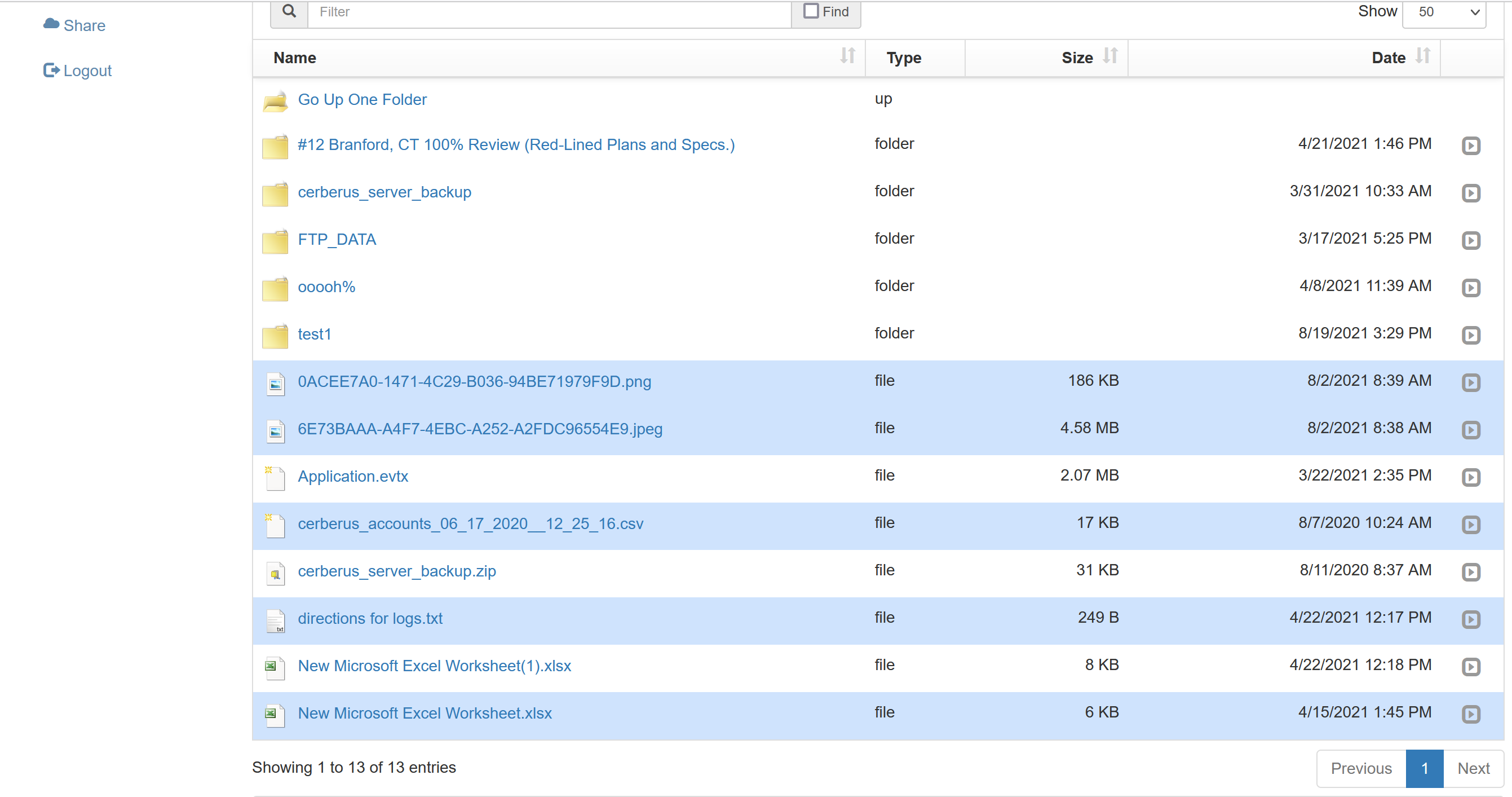
Thanks for the feedback. While shift-clicking does not seem to function, you can select multiple files just by clicking next to the filename. I will file an internal ticket to see if this is something that can be addressed in a future release.
 1
1 -
Thanks Jeff. It really is a matter of ease-of-use and efficiency - Being able to click once, scroll, then shift+click to select 10s or 100s of documents is far superior to selecting those same documents individually. Also, now that I think about it, there may also be a limitation with the shift+click method due to how many entries are visible per page, if that selection queue does not transfer from page to page. Maybe that could be improved on in the future as well? Or perhaps the best method will always be to zip-download the entire folder and go from there..
Looking forward to what's next!
Thanks,
Tyler
0
Please sign in to leave a comment.
Comments
2 comments