
where is new UX toggle in 2025.4?

I just installed the new Cerberus 2025.4 update. In the release notes it says:
- Get a head start on our upcoming secure UX update with Cerberus 2025.4. This version gives administrators the ability to toggle between the previous and new UX, allowing them to test and update UX-dependent workflows ahead of the UX update in early 2026.
We encourage admins to review UX-dependent workflows now, to avoid any disruption when Cerberus completes the full UX update in early 2026, when the toggle is deprecated.
Where is that toggle located so I can start testing? I can't seem to find it.
0
-

Hello Nathan!
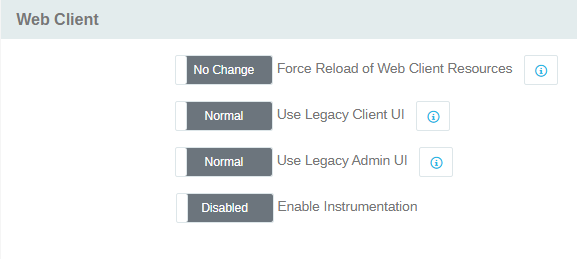
Those settings will be located within 'Server Manager' > 'Advanced' then down under 'Web Client'.
0 -
Thanks for the info! Is it these "Use Legacy" toggles? It looks like those are already set to Normal by default, so I guess that means I'm already using the new UX. What's different with the new UX?
 0
0 -
Happy to help!
While the client side had already been done, we needed to bring the admin side of the web client up to speed with a new, more secure version of bootstrap 5, so that is what that new toggle adds in!
0
Please sign in to leave a comment.
Comments
3 comments